Overview
What was the problem?
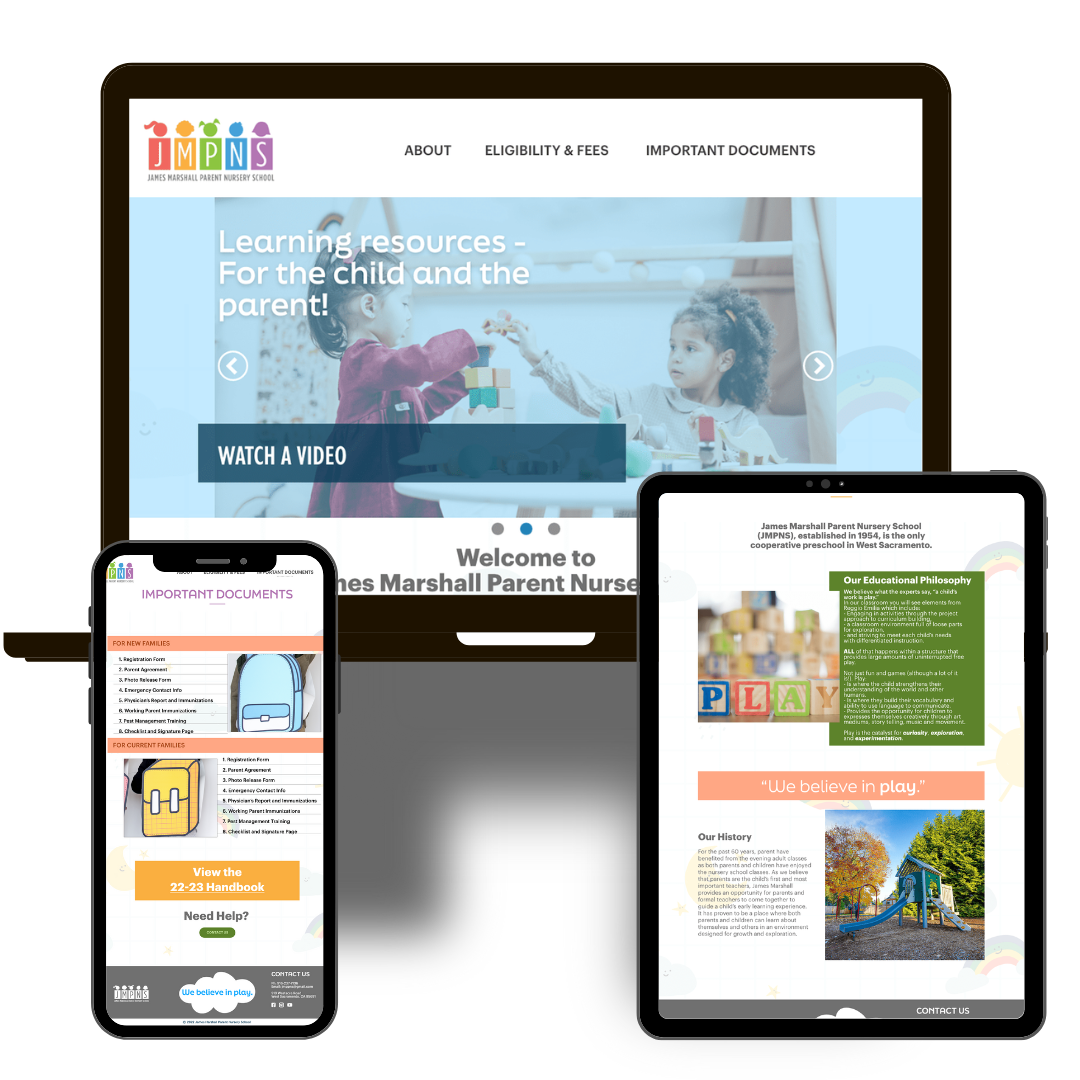
James Marshall Parent Nursery School (JMPNS) had a website that wasn’t serving their audience. It was visually cluttered, the information was buried, and the mobile experience wasn’t that great. It needed a new coat of paint, but the underlying structure needed to make sense too.
My Role
I ran this project from start to finish as the UX designer: discovery, architecture, design, and delivery.
Approach
Overall, the question I was asking myself was “How can I make this more user-friendly and visually-appealing?”. At the time, I wasn’t thinking too much about accessibility, because I hadn’t learned too much about it yet, but rather how do I organize this content so that a general audience can find what they need?
Process
What methods of UX research did I use to help me solve this problem?
METHOD 01: DISCOVERY
No judgement, just taking a look-see. I think this is one of the most important steps in UX research and it involves taking stock of what you already have, with no judgement – the content inventory. When you start taking a look at each page, button, heading style as part of a whole we can really get to know the content intimately. In reviewing the JMPNS content, I saw that important forms where buried 2 or 3 levels deep, clicking on “About us” didn’t lead to the expected page, text was overlapping and hard to read, and other stuff. I got to know the content pretty well and was starting to get a pretty good idea of how to organize it. Another part of the discovery process was seeing what other preschools where up to. I conducted audits for both “competitors” and “aspirational” schools. This step really was good for seeing how content could be well-organized on the webs, but also what not to do. I also wanted to know, did anyone go to the site for information aside from the parents and prospective families? The answer was yes, so this was new to me. Basically, potential sponsors, folks from the Department of Education would all have different reasons for visiting the JMPNS site.
METHOD 02: EXPLORATION
From the discovery insights, I built user personas and and scenario maps to ground the layout decisions in real behavior. I tested low-fidelity wireframes before I developed the high-fidelity mockups, which meant stakeholder feedback shaped the structure.
Outcome
The final deliverable was a redesigned Wix site with improved navigation, clear information hierarchy, and a mobile-responsible layout that worked on devices that the audience actually used, their phones.
Skill Stack
- UX research
- Information architecture
- Wireframing
- Wix
What I’d Do Differently
My accessibility standards have continued to develop since this project. Today, I would integrate contrast checking and accessibility throughout the design process. I would also be more rigorous with spacing and content density decisions earlier in the wireframing.